
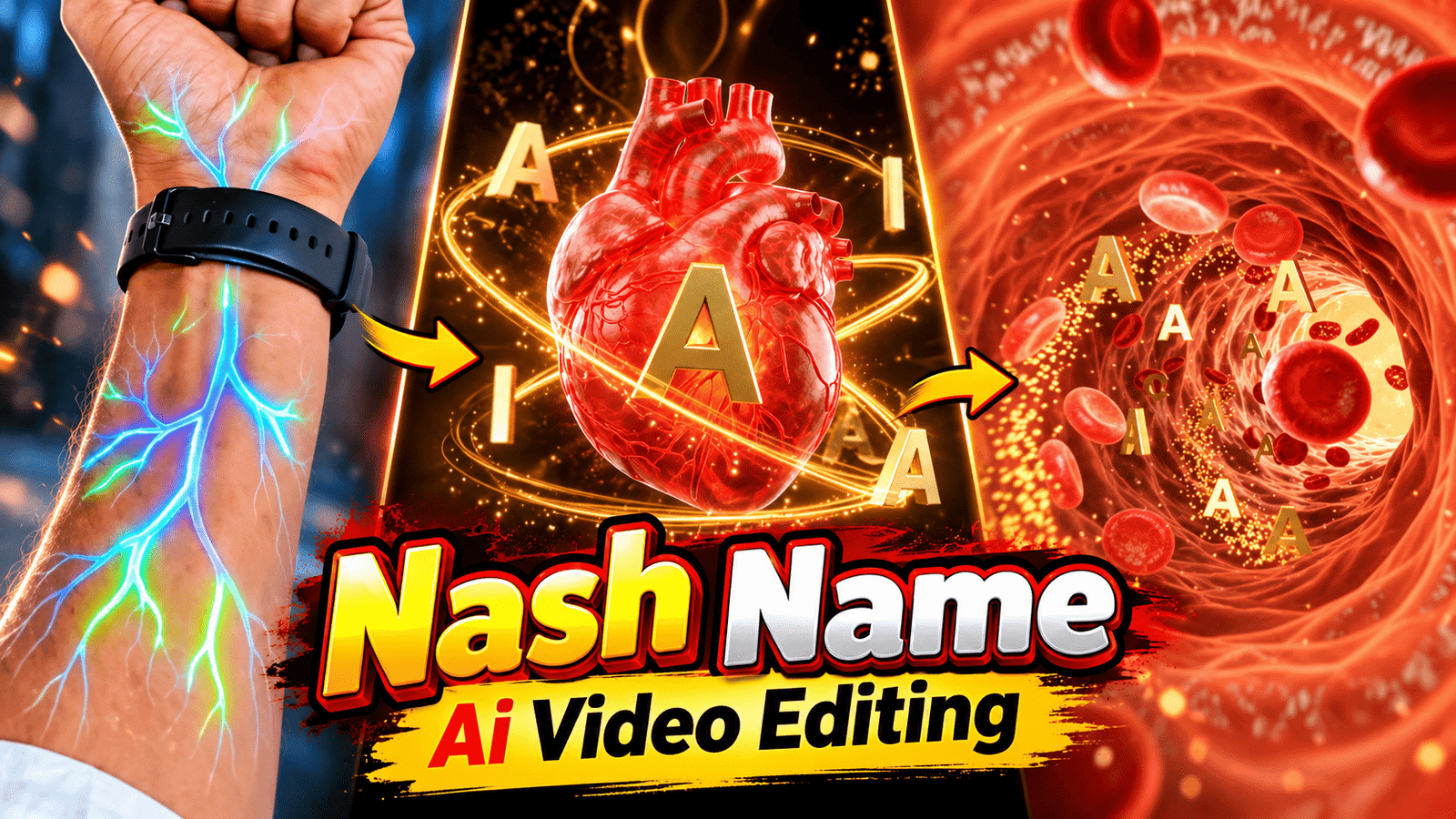
Hello friends, in today’s article we are going to give you all a free Meri Nash Nash Me Bahe Ai Video Editing prompt, using which you can edit Meri Nash Nash Me Bahe Ai Video by just uploading a photo of your hands. Such a video is becoming very viral on Instagram and we will also talk about why the virus is happening. It is very easy to edit such a video. You can make such a video in a very short time. To make a video, you will need a photo of your hand and will need to follow a website which It will easily generate such a video and give it to you for free.
Why is Meri Nash Nash Me Bahe Ai Video going viral?
So the main reason for this video going viral is that in this video a vein is taken out from your hand and a neon light is shown on it like electricity and inside it either his fillings or his girlfriend’s first letter or name is hidden and it is shown to him that we are his name in the form of me, due to which many people are generating such videos to impress their girlfriends with the first letters of their girlfriends and you can make this video in a very short time. Below you will get to see step by step how to make the video, keep watching this article till the end.
Meri Nash Nash Me Bahe Ai Video Editing

PROMPT- Create a 10-second ultra-realistic cinematic VFX video, vertical 9:16, using the uploaded hand image as reference.
0-2s: Preserve the original closed fist, skin, arm hair, sleeve, wristwatch and background. A faint red-orange glow appears beneath the watch.
2-4s: Glowing red-orange energy veins spread across the forearm with tiny sparks. Keep skin intact and realistic.
4-5s: Smoothly zoom into a glowing branch, transitioning into a CGI tunnel.
5-7s: Travel through a deep red-orange 3D biological tunnel with glowing strands, circular waves and floating particles.
7-10s: Multiple glowing 3D copies of the letter [LETTER] float, rotate and pass the camera at different depths. Keep every letter identical and readable.
Use cinematic lighting, smooth motion and futuristic electronic ambience. No cuts, blood, wounds, extra symbols, captions or watermarks. Preserve the original hand
How to make Meri Nash Nash Me Behe Ai Video
- To make such a video, first take a photo of your hands.
- After that open Follow A and make settings
- Upload a photo of your hands, paste it on the front and send it.
- After the video is made, download it from here
- So you can make a video with your own hands in this way.
Conclusion
So friends, I have told you all step by step how you can edit my Meri Nash Nash Me Bahe Ai Video. In this, everything has been told to you step by step, where to find the province, how to generate the video and why the video is going viral. This entire process has been explained in today’s article. If you still face any problem in generating the video, then you can comment in the comment box. It is for you only, so let’s end today’s article here. See you. Till then with the next trending article, Bye Tata.

Sumitkp