
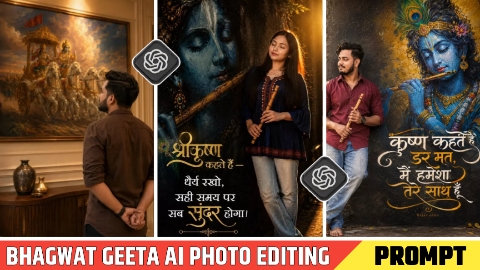
Hello friends, in today’s Aarti period, all of you are going to get Bhagwat Geeta Ai Photo Editing Prompt for free, using which you can create such a photo in just one click. Such a photo is becoming very viral on Instagram and we will also talk about why this virus is happening. Many people are making such photos and uploading them on their social media platforms, whose photos are getting lakhs of likes and comments, many of which ask for the front of this image, but reply to all the comments. It is not possible, due to which in today’s Aarti period, we are going to give you the start of this image absolutely free and will tell you how you can create a hundred percent real face photo using the start, so without wasting time, let us tell you the entire process step by step.
Why is Bhagavad Geeta AI photo editing going viral?
The main reason for Bhagwat Geeta ai photo editing prompt going viral is that many people’s attention is related to faith and they want to edit their photo with their beloved God and upload it on social media platform or in the story of WhatsApp Facebook Instagram, due to which many people are making such a photo and uploading it on their Instagram, due to which it is trending a lot on Instagram and many people ask for the beginning of the image by commenting in the comment box of this photo, due to which the engagement of the post gets very high. Due to which that photo starts trending a lot. If you also want to make such a photo and want to go viral with the trend, then keep watching this Aditya Kal step by step till the end.
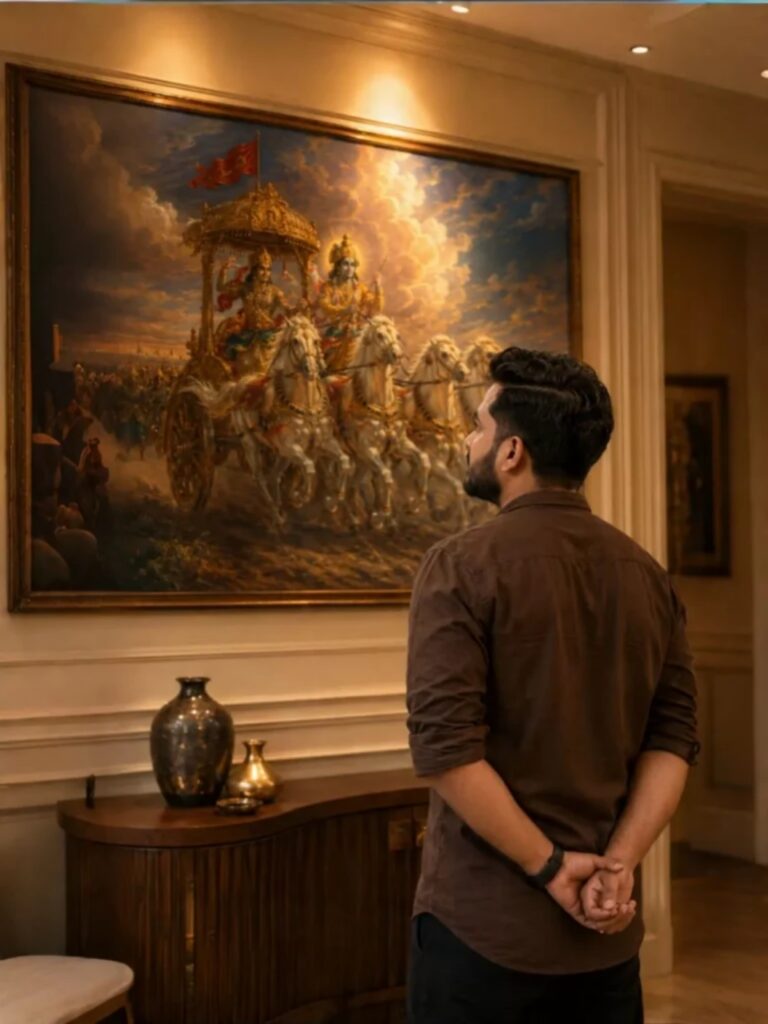
Transform the uploaded reference person into an ultra-realistic cinematic Bhagavad Gita inspired scene while preserving ONLY the exact facial identity, hairstyle, beard details, skin tone, and natural human realism from the uploaded reference image. IMPORTANT CAMERA ANGLE: the image should feel naturally clicked slightly from the left-back side perspective, not perfectly centered. The camera must capture both the person and the Mahabharata painting clearly in the frame exactly like a casual cinematic candid photo. The person should stand calmly facing the painting with both hands folded behind the back, giving a mature, leadership, wiseemotionally powerful, and self-controlled aura. The head should be slightly raised upward as if deeply thinking and absorbing the wisdom of Bhagavad Gita. Only a subtle portion of the side jawline and hairstyle should be visible naturally from the left-back angle – not a full side face Outfit should be a realistic premium dark earthy-brown cotton shirt with soft rolled sleeves, natural wrinkles, realistic texture, and masculine minimal Indian aesthetic exactly like a stylish everyday luxury look. Environment should look like a realistic modern Indian luxury room or elegant home interior with soft cream/beige walls and warm cinematic indoor lighting. The Mahabharata painting should be colorful, rich, vibrant, and highly detailed – Lord Krishna driving the divine chariot with Arjuna, white horses in motion, dramatic clouds, spiritual battlefield atmosphere, golden-orange tones, rich blue sky, premium mythological realism. The painting should remain fully visible while the person occupies the lower-right or center-right foreground naturally, creating balanced cinematic composition. Lighting style: realistic warm room lighting with subtle top glow above the artwork, natural indoor shadows, soft highlights on hair and shoulders, realistic depth and cinematic warmth. The overall image must look like real DSLR or iPhone portrait photograph captured naturally inside a luxury modern home – absolutely NO anime look, NO Al-art appearance, NO illustration style. Ultra-photorealistic cinematic photography, authentic skin texture, realistic brown shirt fabric, natural hair details, cinematic color grading, subtle depth of field, premium Instagram aesthetic, emotionally powerful masculine leadership vibe. No text, no captions, no watermark, no Ul elements. Vertical 9:16 composition
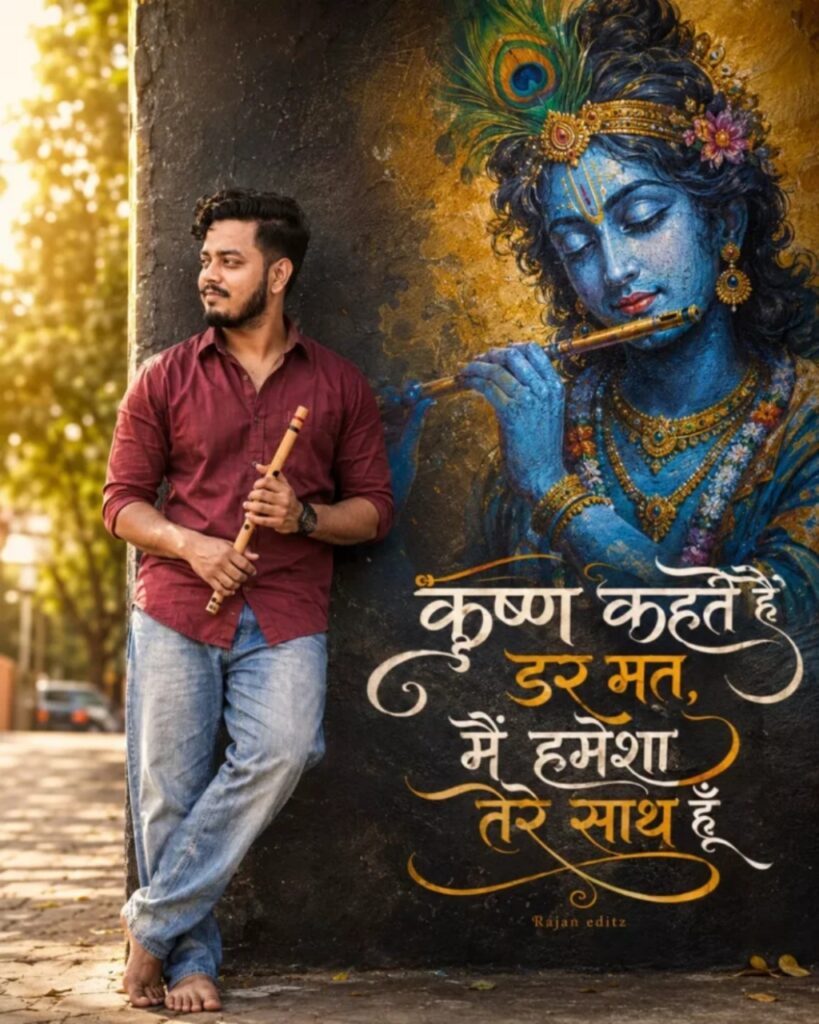
A realistic photo of a young Indian man with a short beard, wearing a maroon button-up shirt and light blue baggy jeans, leaning against a dark textured wall. He is holding a traditional wooden flute in his hand and looking to the side with a smile. Painted on the wall behind him is a large, vibrant, and highly detailed artistic graffiti mural of Lord Krishna with blue skin, holding a flute, wearing a peacock feather crown and traditional golden jewelry. Bold, stylized Hindi typography is elegantly written on the wall below the mural. Golden sunlight filters in from the side, creating a warm backlighting effect.A young Indian man in a red shirt and jeans stands bare feet leaning against a wall, holding a bamboo flute. The wall features a stunning, colorful street art mural of Lord Krishna playing a flute. Next.Technical Sujit to the mural, there is beautiful Hindi calligraphy text aesthetic.krishna kahte hain dar mat, main hamesha tere saath hoon" graffiti typography in hindi.. Warm, sunny outdoor lighting with a slight bokeh effect in the background, highly detailed.
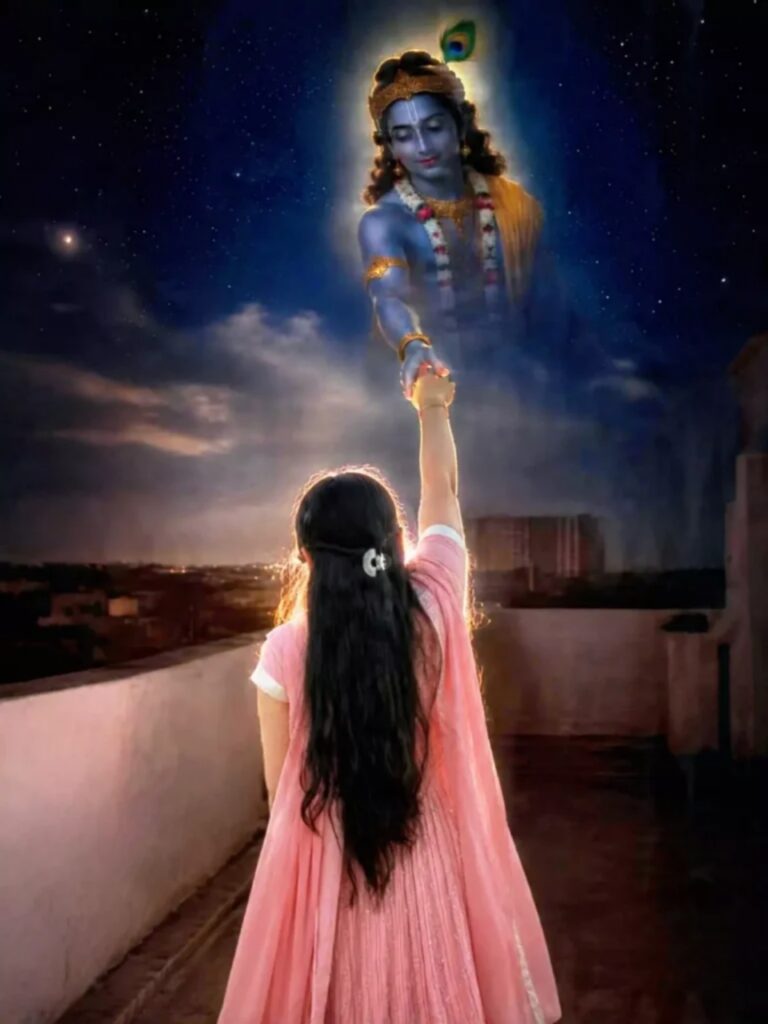
Use my original photo. Keep my face, body, hairstyle, saree and identity exactly the same. A realistic devotional scene where I am standing from the back and reaching my hand upward. Lord Krishna appears in the sky with a divine golden aura, gently holding my hand and looking at me with love and compassion. Starry night background, soft clouds, heavenly glow, spiritual atmosphere, cinematic lighting, ultra realistic, photorealistic, emotional devotional mood.(◕‿◕)..
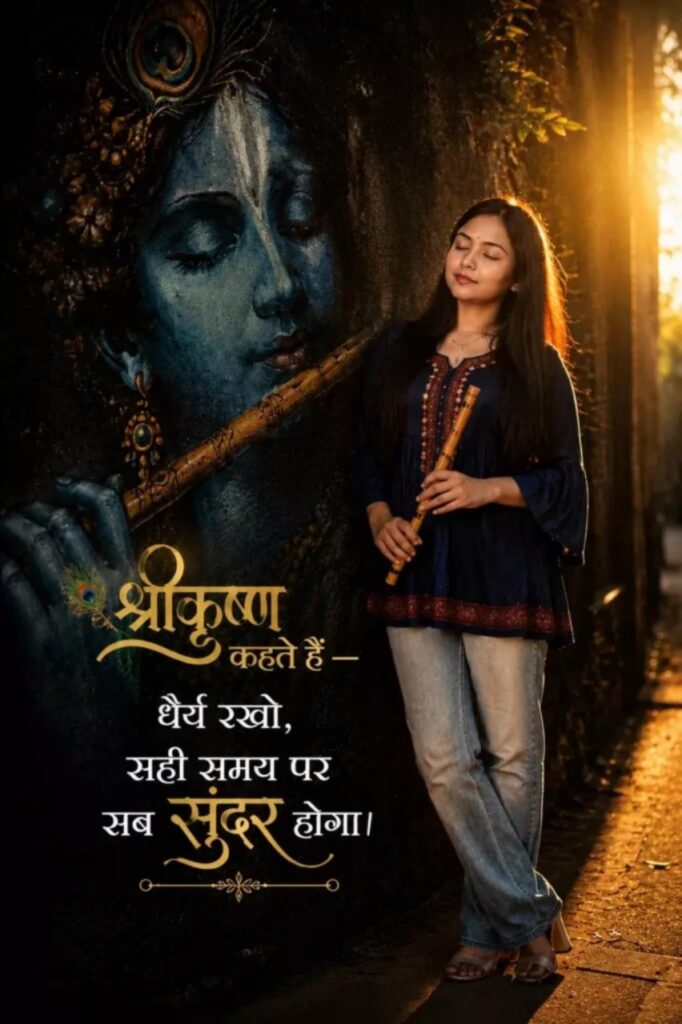
Ultra-realistic cinematic portrait of a young South Asian woman standing beside a giant blue Lord Krishna mural, eyes closed, holding a wooden flute, wearing an oversized navy-blue trendy short kurti with light-wash jeans, warm golden sunset backlight, ethereal glow, dark textured wall, spiritual devotional vibe, grainy 90s film aesthetic, realistic street photography, elegant Hindi typography on left side saying — “श्रीकृष्ण कहते हैं — धैर्य रखो, सही समय पर सब सुंदर होगा।” stylish golden and white font, balanced composition, text not covering the girl, ultra-detailed, 9:16 vertical
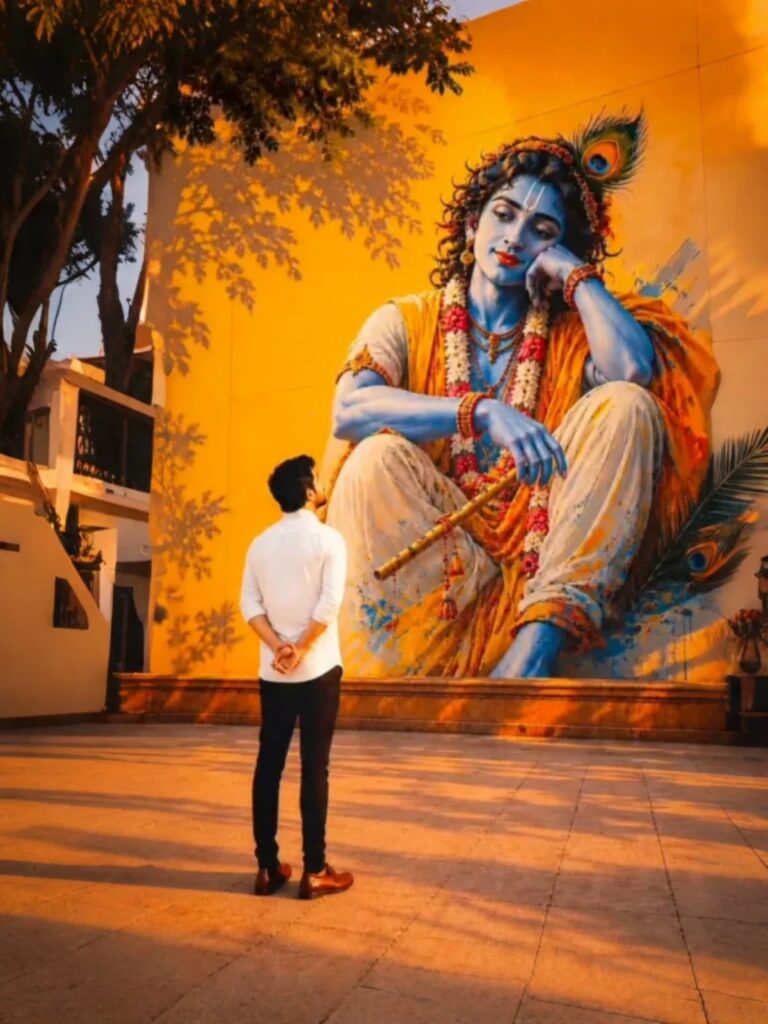
Use uploaded reference image for exact facial identity preservation. Young Indian man standing barefoot at center, back facing camera, hands folded behind back in complete surrender before a gigantic Lord Krishna mural. Krishna with blue skin, peacock feather, garlands, flute, divine expression. Golden-orange wall, sunset light, tree shadows, spiritual atmosphere, temple courtyard, cinematic HDR, ultra-realistic, photorealistic, masterpiece, 8K, depth of field, vertical 9:16.
How to Make Bhagavad Gita Ai Photo
To do Bhagwat Geeta Ai Photo Editing, first of all you should have a high quality image in which your entire body is visible and to edit this photo, you should have its prompt which we are going to give you in this article. After doing all this, let us tell you step by step the complete process of editing photo with Bhagwat Geeta.
- First of all open ChatGpt. You can easily download it from Play Store or App Store, or even directly open Chatgpt on Google.
- Click the plus icon and then click Photos. Upload the photo you want to edit here
- Once the photo is uploaded, paste the prompt here. You can find hints below in this article. Copy it from there and paste it here.
- After this click on send button. Wait a few moments for your photo to be created and sent to you.
- Once the photo is created, you will find a download icon at the top. Click on that icon and your photo will be downloaded.
Now, you can upload this image anywhere including Instagram, Facebook or WhatsApp.
Consclusion
So friends, I have told you step by step in very easy language how you can do Bhagwat Geeta ai photo editing prompt. If you are still not able to make a photo, then I have made a video on it and uploaded it. You can watch it from our YouTube channel. The name of our channel is Technical Sujit. From that channel, you can learn how to edit photos by watching the video. So let’s end today’s article here. See you with some new trend.


1 thought on “Bhagwat Geeta Ai Photo Editing Prompt”