
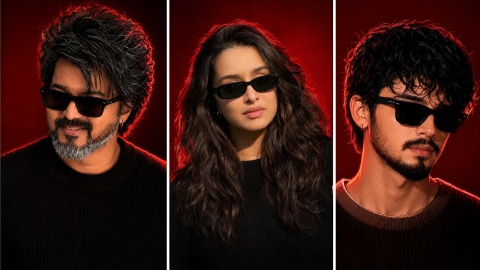
Hello friends, in today’s article, we are going to give you all a completely free Red Glow Effect Ai Photo Editing Prompt, using which you can create such a photo in a very short time. This photo is becoming very viral on Instagram and we will also talk about why this virus is happening and where will you get the prompt for how to edit this photo. In today’s article, we are going to tell you all the things step by step, so without wasting time, let us tell you the whole process step by step.
Why is red glow effect photo going viral?
The main reason why Red Glow Effect Ai Photo Editing Prompt is going viral is that it applies red glow effect in the background of your normal photo, which looks very good. You can upload this photo anywhere, even on your profile DP, and many people are editing and uploading such photos on Instagram, whose photos are getting millions of likes and comments, most of which are comments that give Ai Prompt for this image, but it is not possible to reply to all the comments. If you want to convert your own photo into red blue effect with this trend, then you have come to the right place.
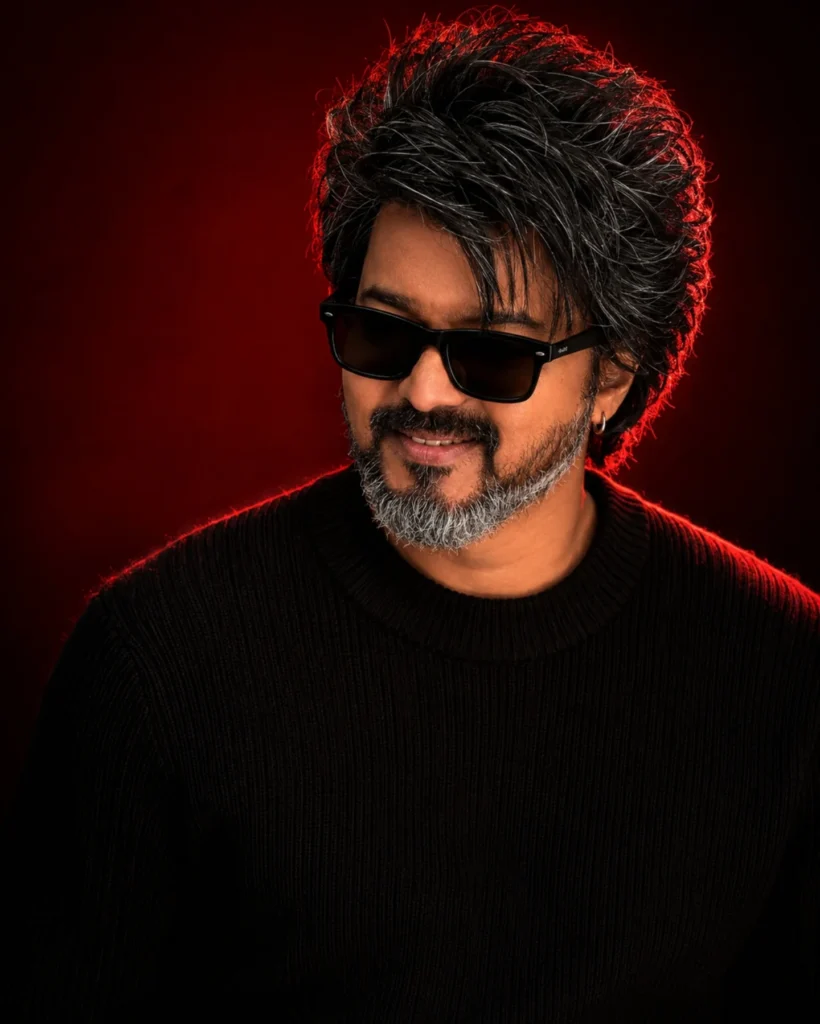
Use the uploaded reference image as the exact identity of the person. STRICT IDENTITY LOCK: Preserve 100% facial structure, skin tone, hairstyle, facial features, age, and identity. Do not alter the face, hair, skin texture, or any natural characteristics. Maintain complete likeness to the reference image. OUTFIT: Premium black ribbed knit sweater, sleek black rectangular sunglasses, small silver hoop earring, luxury men's fashion styling, clean and sophisticated look. POSE: Head slightly lowered, face turned subtly to the side, confident expression, subtle smile, looking slightly past the camera, relaxed yet powerful posture. SCENE: Luxury studio portrait, deep crimson-red gradient background, rich dark-red cinematic backdrop, minimal composition, premium editorial atmosphere. LIGHTING: Soft beauty lighting on the face, dramatic red rim light outlining the hair and shoulders, cinematic shadows, high contrast, luxury fashion-magazine lighting. CAMERA: Chest-up portrait, 85mm lens, shallow depth of field, ultra-sharp facial details, professional DSLR quality, subject in perfect focus. STYLE: Luxury men's fashion editorial, viral Instagram portrait, ultra-realistic photography, premium color grading, magazine-cover aesthetic, high-end commercial campaign, cinematic mood, luxury lifestyle branding. QUALITY: Photorealistic, 8K detail, natural skin texture, sharp focus, professional retouching, premium fashion photography, highly detailed, realistic lighting. ASPECT RATIO: 4:5
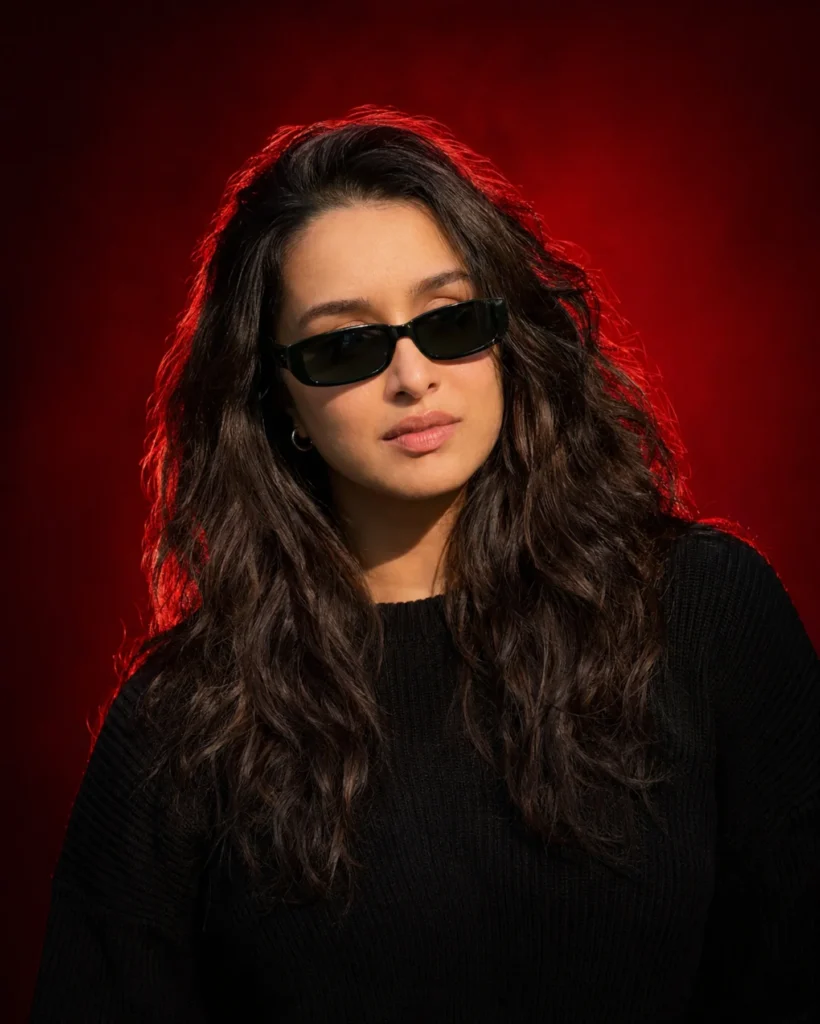
Use the uploaded reference image as the exact identity of the person. STRICT IDENTITY LOCK Preserve 100% facial structure, skin tone, hairstyle, beard, facial features, age and identity. Do not alter face, hair, beard or natural appearance. OUTFIT Premium black ribbed knit sweater, sleek black rectangular sunglasses, small silver hoop earring. POSE Head slightly lowered, face turned slightly sideways, confident expression, subtle smile, looking past camera. SCENE Luxury studio portrait, deep crimson-red gradient background, dark red cinematic backdrop, clean minimal composition. LIGHTING Soft beauty light, dramatic red rim light around hair and shoulders, editorial lighting, cinematic shadows, high contrast. CAMERA Chest-up portrait, 85mm lens, shallow depth of field, sharp facial details. STYLE Luxury men's fashion editorial, viral Instagram portrait, ultra realistic, DSLR quality, premium color grading, magazine cover aesthetic. Aspect Ratio 4:5
How to make red glow effect photo
To do Red Glow Effect Ai Photo Editing Prompt, first of all you should have a high quality image in which your entire body is visible and to edit this photo, you should have its prompt which we are going to give you in this article. After doing all this, let us tell you step by step the complete process of editing photo with Glow Effect Photo.
- First of all open ChatGpt. You can easily download it from Play Store or App Store, or even directly open Chatgpt on Google.
- Click the plus icon and then click Photos. Upload the photo you want to edit here
- Once the photo is uploaded, paste the prompt here. You can find hints below in this article. Copy it from there and paste it here.
- After this click on send button. Wait a few moments for your photo to be created and sent to you.
- Once the photo is created, you will find a download icon at the top. Click on that icon and your photo will be downloaded.
Now, you can upload this image anywhere including Instagram, Facebook or WhatsApp.
Conclusion
So friends, we have explained in a very simple way how to do red glow effect AI photo editing. If you still do not understand, then we have made a video on it and uploaded it. You can watch it from our YouTube channel. The name of our channel is Technical Sujit. You can check it out on the channel. You will get to see a lot of videos there. So let’s end today’s article here. See you with the new trend.

1 thought on “Red Glow Effect Ai Photo Editing”