
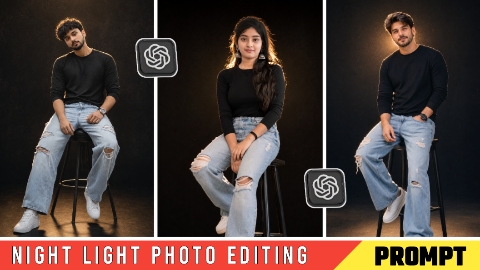
Hello friends, in today’s article, we are going to give you all a free Night Light AI photo editing prompt, using which you can create such a photo in just one click. Such a photo is becoming very viral on Instagram and we will also talk about why the virus is happening. Many people are making such photos and uploading them on their social media platforms, whose photos are getting millions of likes and comments, out of which many of the comments contain the prompt of this image, but reply to all the comments is this. This is not possible, due to which in today’s article we are going to give you all the prompt of this image absolutely free and tell you how you can generate a photo with 100% real face using the prompt, so without wasting any time, let us learn the whole process step by step.
Why is night light photo going viral?
The main reason for night light ai photo editing going viral is that such a photo looks very beautiful. Many people want to edit such a photo and upload it on their social media platform or in the story of Facebook Instagram WhatsApp, due to which they ask for a prompt to make a photo by commenting on someone else’s photo, due to which their photo starts becoming very viral and such a photo can be made with the help of AI for absolutely free. The special thing about this photo is that if you upload any normal photo then It will change your photo to look like night and applies golden glow effect behind your photo which makes it appear as if the photo has been taken at night and some light is falling on its body, which looks quite aesthetic and everyone likes such a photo, due to which Night Light Eye Photo Editing is becoming very viral.
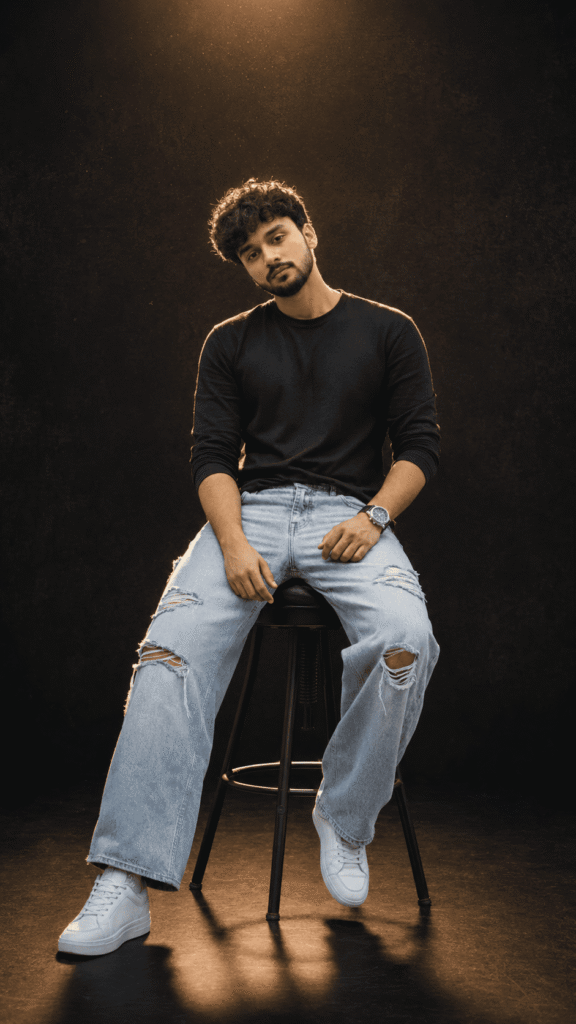
Ultra-realistic cinematic full-body portrait of a handsome young Indian man matching the exact reference face, sitting casually on a tall black stool with full legs and white sneakers completely visible. He wears a fitted black full-sleeve t-shirt, light blue ripped wide-leg jeans, and clean white sneakers. Stylish voluminous dark hair with natural texture, well-groomed beard, confident natural smile, premium wristwatch, relaxed fashionable pose. Background: deep muted black backdrop with subtle grain texture and darker gradient at the top, creating a moody luxury studio atmosphere. Lighting: bold night-flash aesthetic with strong golden backlighting creating a glowing rim light around the hair and body, combined with direct front-facing flash and soft fill light. Tiny floating dust highlights, cinematic high-contrast mood, warm natural skin tones, glossy ossy realistic realistic skin texture, dramatic shadows, luxury fashion-editorial photography style. shadows, luxury fashion-editorial sterious omfortably Seated comfortably on a tall matte-black stool, full body visible from head to toe, both legs completely visible, white sneakers fully visible, natural proportions, stylish masculine posture, premium lifestyle photoshoot aesthetic. Ultra-detailed facial features, hyper-realistic skin texture, sharp focus, professional professional studio studio pho photography, DSLR luxury portrait session, rait session, realistic fabric details, cinematic depth, stunning bokeh, photorealistic 8K quality. In 9:16 ratio. Keep the face 100% identical to the uploaded reference image, preserving all facial features, hairstyle, beard pattern, facial structure, skin tone, expression, and identity accuracy.
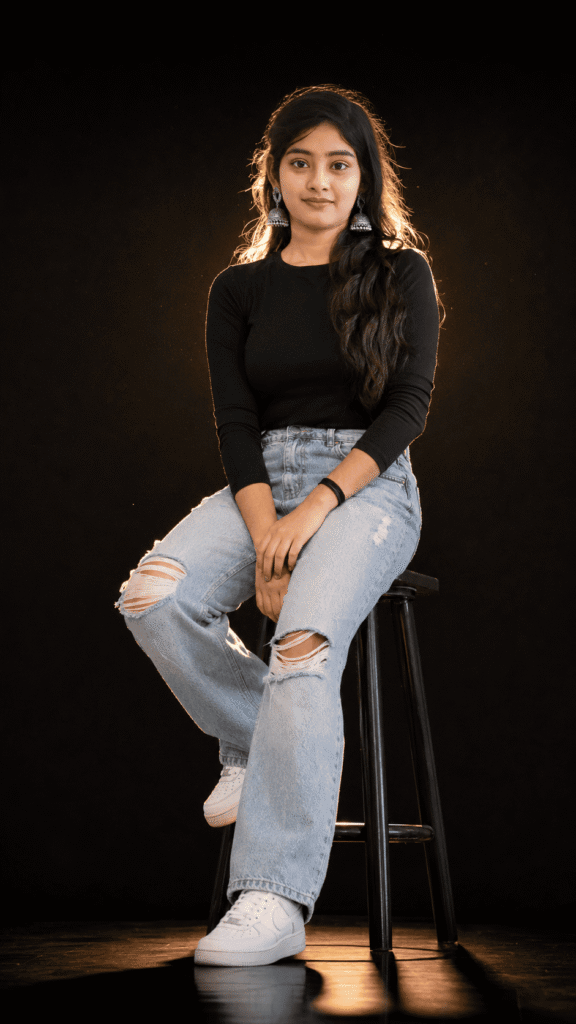
Ultra-realistic cinematic full-body portrait of a beautiful young Indian woman matching the exact reference face, sitting casually on a tall black stool with full legs and white sneakers completely visible. She wears a fitted black full-sleeve top, light blue ripped wide-leg jeans, and clean white sneakers. Long wavy dark hair with natural volume, soft natural smile, elegant silver jhumka earrings, relaxed stylish pose. Background: deep muted black backdrop with subtle grain texture and darker gradient at the top, creating a moody luxury studio atmosphere.s Lighting: bold night-flash aesthetic with strong golden backlighting creating a glowing rim light around the hair and body, combined with direct front-facing flash and soft fill light. Tiny floating dust highlights, cinematic high-contrast mood, warm peachy skin tones, glossy realistic skin texture, dramatic shadows. In 9:16 ratio. Keep the face 100% identical to the uploaded reference image, preserving all facial features, hairstyle, beard pattern, facial structure, skin tone, expression, and identity accuracy.
Night Light Ai How to do photo editing
To do Night Light Ai Photo Editing, first of all you should have a high quality image in which your entire body is visible and to edit this photo, you should have its prompt which we are going to give you in this article. After doing all this, let us tell you step by step the complete process of editing photo with Rani Pari.
- First of all open ChatGpt. You can easily download it from Play Store or App Store, or even directly open Chatgpt on Google.
- Click the plus icon and then click Photos. Upload the photo you want to edit here
- Once the photo is uploaded, paste the prompt here. You can find hints below in this article. Copy it from there and paste it here.
- After this click on send button. Wait a few moments for your photo to be created and sent to you.
- Once the photo is created, you will find a download icon at the top. Click on that icon and your photo will be downloaded.
Now, you can upload this image anywhere including Instagram, Facebook or WhatsApp.
Conclusion
So friends, we have told you very step by step how you can do night light ai photo editing prompt, where to get the prompt, how to generate the photo, the whole process has been told to you in this article, you will read this article in a good way, you will understand the whole thing, if you still do not understand, then we have made a video on it and uploaded it, you can watch it from our YouTube channel, the name of our channel is Technical Sujit, on this channel you will get to watch the video. You can easily generate the photo by looking from there, so let’s end today’s article here and see you with another trend.

1 thought on “Night Light Ai Photo Editing Prompt”