
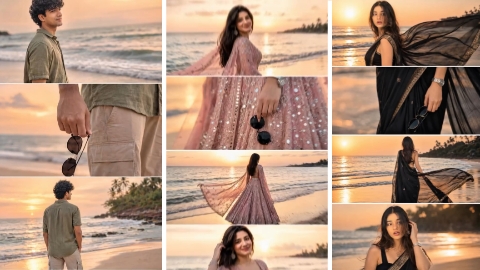
Hello friends, in today’s article, we are going to give you all sunset beach college photo editing prompts for free, by using which you can make such a photo in just one click. Such a photo is becoming very viral on Instagram and we will also talk about why the virus is happening. Many people are making this photo and uploading it on their social media platforms, whose photo is getting millions of likes and comments, out of which most of the comments are saying that give AI prompts of this image but reply to all the comments. This is not possible, that is why we have brought this article for all of you. In this article, we will teach you all how to do sunset photo editing for free. Where will you get the prompts? In this very article, you will get to see and how to edit the photo. We are going to tell you everything step by step in today’s article, so without wasting any time, let’s start.
Why is Sunset Ai photo going viral?
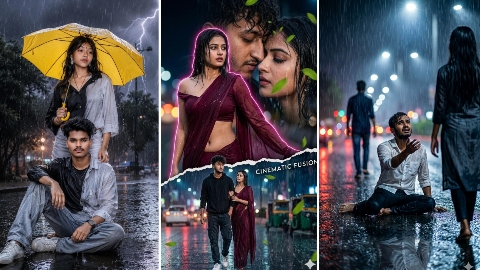
Why is sunset photo editing going viral? The main reason behind sunset photo editing going viral is that it is used to create a photo in four layers and each photo has a different angle. In some photos it is taken from the front, in some it is taken from the bank, in some it is taken from the bank and in some it showcases your product and in this name sunset is in the middle which looks quite nice. There are many people editing such photos on your Facebook WhatsApp Instagram. Keep reading the story of the people who are very fond of making such a photo. It is becoming very viral on Instagram. After all, how can you make such a photo? Let us teach you step by step.
Sunset Beach Collage Photo Editing Prompts
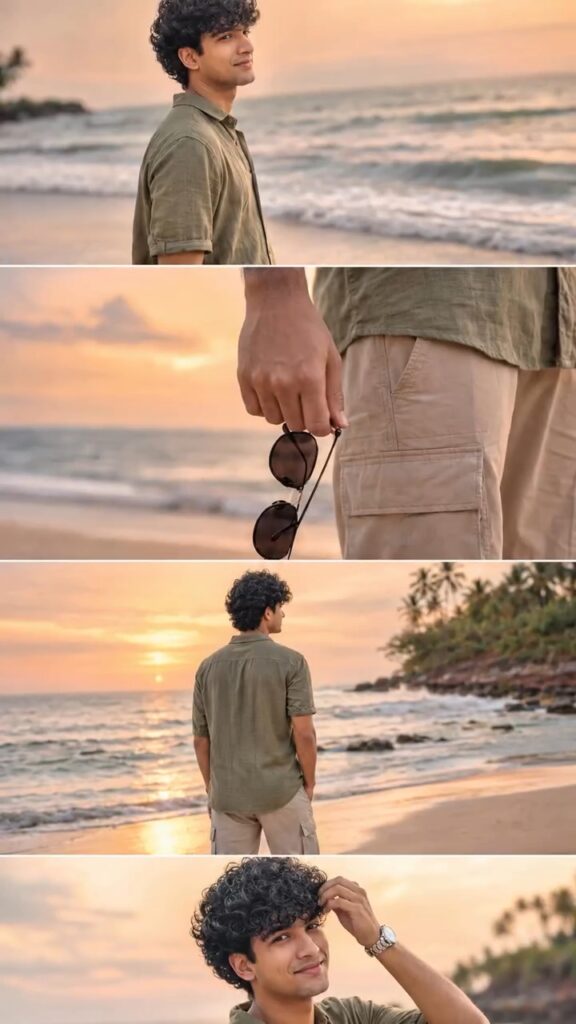
Ultra-realistic DSLR cinematic beach photoshoot collage featuring the SAME person from the uploaded reference image. Preserve face identity 100% exactly — same facial structure, hairstyle, beard shape, jawline, skin texture, expression style, body proportions, and natural appearance. Do NOT modify or beautify the face. Maintain original realistic Indian male look with authentic features. Create an Instagram portrait size 4-photo vertical collage (1080×1350) exactly like a trendy cinematic reel cover. Keep the SAME collage layout and framing style as the reference image. Scene: golden sunset beach with pastel orange-pink sky, soft ocean waves, wet reflective sand, dreamy tropical atmosphere, warm cinematic sunlight, shallow depth of field, realistic DSLR photography, highly detailed skin texture, soft natural color grading. Outfit: olive green linen shirt with rolled sleeves, beige cargo shorts, silver wrist watch, holding black round sunglasses. Photo 1: medium side-profile portrait looking towards the horizon, calm expression, ocean waves behind. Photo 2: close-up shot of hand holding black sunglasses near shorts pocket, cinematic focus blur background. Photo 3: back pose standing near shoreline facing ocean during sunset, relaxed posture. Photo 4: candid pose touching hair while smiling slightly, warm sunlight on face, soft breeze effect. Composition: exact same vertical stacked collage layout with thin borders between photos, aesthetic Instagram reel-cover style, smooth warm tones, balanced spacing, realistic shadows and lighting. Camera settings: DSLR quality, 85mm lens, f/1.8 aperture, ultra realistic, HDR, natural skin texture, cinematic travel photography style, 4K details. Negative prompt: blurry face, extra fingers, distorted body, cartoon look, over-editing, unrealistic skin, AI face changes, low quality, duplicate person, bad anatomy, overexposed lighting, watermark, text.
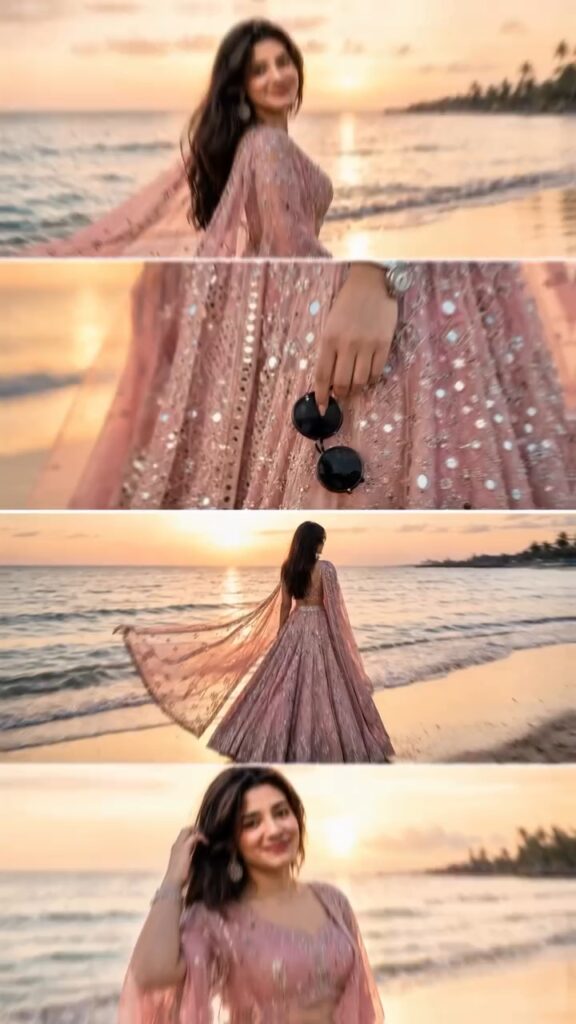
Ultra-realistic DSLR cinematic beach photoshoot collage featuring the SAME female person from the uploaded reference image. Preserve face identity 100% exactly — same facial structure, hairstyle details, jawline, skin texture, expression style, body proportions, and natural appearance. Do NOT modify, beautify, or overly smooth the face. Maintain authentic realistic Indian female look with natural features. Create an Instagram portrait size 4-photo vertical collage (1080×1350) exactly like a trendy cinematic reel cover. Keep the SAME collage layout and framing style as the reference image. Scene: Golden sunset beach with pastel orange-pink sky, soft ocean waves, wet reflective sand, dreamy tropical atmosphere, warm cinematic sunlight, shallow depth of field, realistic DSLR photography, highly detailed skin texture, soft natural color grading. Outfit: Beautiful pink color lehenga (elegant and flowy), subtle traditional detailing, matching dupatta, silver jewelry (light), stylish modern hairstyle (soft waves or slightly messy wind-blown hair), holding black round sunglasses in hand. Photo 1: Medium cinematic side-profile portrait standing near shoreline, looking toward the sunset horizon, calm soft expression, ocean waves behind, warm sunlight glowing on face. Photo 2: Close-up aesthetic shot of hand holding black sunglasses near lehenga, visible accessories (bracelet/watch), shallow depth of field, smooth bokeh beach background. Photo 3: Back pose standing near shoreline facing ocean during sunset, lehenga flowing slightly in breeze, relaxed posture, cinematic framing, golden light reflecting on wet sand. Photo 4: Candid pose touching hair while smiling softly, warm sunset glow on face, wind-blown hair effect, dreamy cinematic mood. Composition: Exact same vertical stacked collage layout with thin borders between photos, aesthetic Instagram reel-cover style, smooth warm tones, balanced spacing, realistic shadows and lighting. Camera Settings: DSLR quality, 85mm lens, f/1.8 aperture, ultra realistic, HDR, natural skin texture, cinematic travel photography style, 4K details. Negative Prompt: blurry face, extra fingers, distorted body, cartoon look, over-editing, unrealistic skin, AI face changes, low quality, duplicate person, bad anatomy, overexposed lighting, watermark, text
How to make Sunset Ai photo
To do Sunset Ai Photo Editing Prompt, first of all you should have a high quality image in which your entire body is visible and to edit this photo, you should have its prompt which we are going to give you in this article. After doing all this, let us tell you step by step the complete process of editing photo with Sunset.
- First of all open ChatGpt. You can easily download it from Play Store or App Store, or even directly open Chatgpt on Google.
- Click the plus icon and then click Photos. Upload the photo you want to edit here
- Once the photo is uploaded, paste the prompt here. You can find hints below in this article. Copy it from there and paste it here.
- After this click on send button. Wait a few moments for your photo to be created and sent to you.
- Once the photo is created, you will find a download icon at the top. Click on that icon and your photo will be downloaded.
Now, you can upload this image anywhere including Instagram, Facebook or WhatsApp.
Conclusion
So friends, in very easy language, we have told you step by step where to find the prompt and how to edit the photo and why the photo is going viral on Instagram. We have also talked about it in today’s article. So, if you also want to make such a photo, then follow all the steps mentioned above and your photo will be ready. If you are not able to make a photo even after watching this article, then we have made a video and uploaded it. You can make such a photo by watching our YouTube video. The name of our YouTube channel is Technical Sujit. You can edit the photo by watching the video from there. For now, let’s end today’s article here. Let’s meet with some new trend.


1 thought on “Sunset Beach Collage Photo Editing Prompts”