
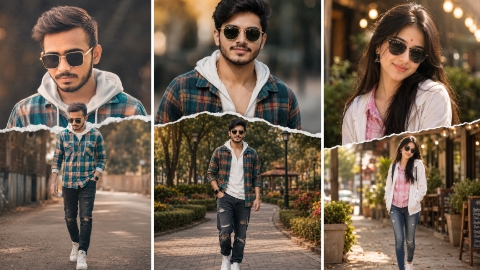
Hello friends, in today’s article we are going to teach all of you how to do Cinematic Double Exposure Photo Editing for free. You can create such a photo in a very short time. Currently, a photo with Cinematic Double Exposure is becoming very viral on Instagram and if we talk about why the virus is happening, then such a photo is becoming very viral on social media and it is very nice to see such a photo, due to which everyone is wanting to edit such a double exposure photo and upload it on their social media platform but they are not getting the prompt. Because of which he is not able to create his own photo, due to which in today’s episode of Aditya, we are going to give the plot of this image to all of you for free and we are going to learn step by step how you can edit such a photo by doing it on the front.
Why is Cinematic Double Exposure Photo going viral?
The main reason why cinematic double photo editing is going viral is that in this it turns your normal photo into double exposure which looks very good and many people like such photo and such photo is becoming very viral on Instagram. Many people are editing this type of photo and uploading it on their social media platform, in whose comment box the comment is coming that give a prompt of this image so that we can also make such double exposure photo, but reply to all the comments of all the photos. This is not possible, due to which in today’s article we are going to give you all a plot of this image for free and teach you how to do photo editing.
Cinemetic Double Exposure Photo Editing
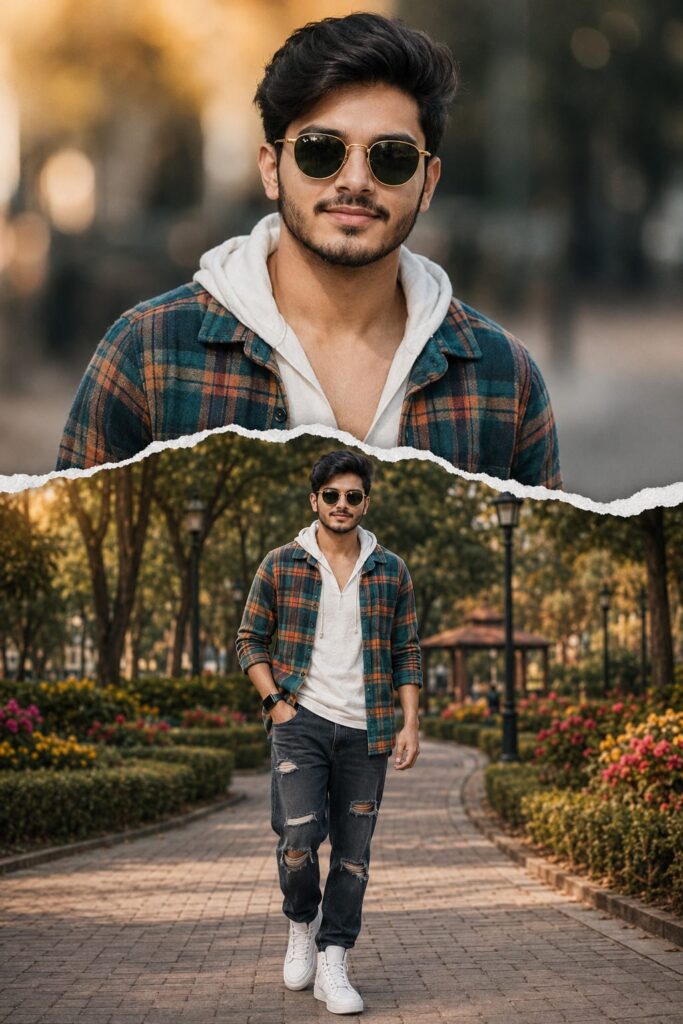
Create a high-quality double exposure and paper-tear collage photo. In the background is a large, unique close-up portrait of a young Indian man with dark hair, his top button open, and jeans, wearing stylish gold-rimmed sunglasses, looking straight at the camera and smiling slightly. A realistic white torn piece of paper creates a horizontal divide in the middle. In the foreground, the same man is shown in a full-body shot, walking down the street with heroic confidence, with a slight attitude and his actual height. The ratio is 2:3. No faces will be altered. In both photos, the boy is wearing a teal and orange checked linen shirt with a white hoodie underneath, along with dark torn jeans and white high-top sneakers.
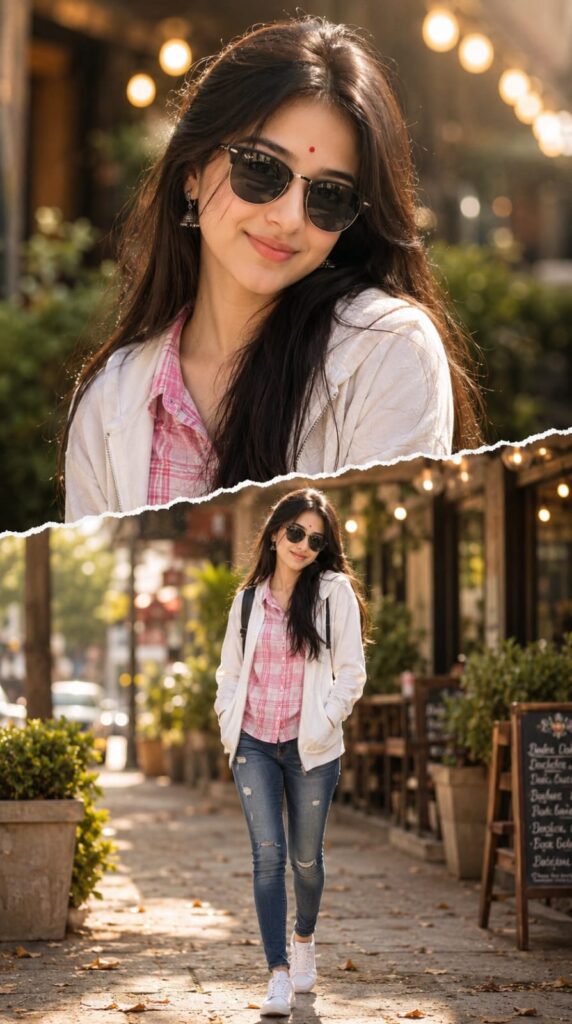
Create a creative double-exposure photo composition using the provided selfie. The top half features a large, close-up portrait of a young Indian girl, with a smiling face similar to the uploaded photo. She's wearing modern dark sunglasses, a red bindi on her forehead, a pink and white plaid shirt, and a white zip-up hoodie. The bottom half, separated by a realistic white torn paper edge effect, shows the same girl walking confidently down the street in a full-body shot. She's wearing blue distressed skinny jeans, white sneakers, and carrying a small backpack. The background features a warm, sunny outdoor cafe with golden bokeh lights, green potted plants, and a blurred street view. High-quality, cinematic lighting, realistic textures.
How to Create a Cinematic Double Exposure Photo
To do Cinemetic Double Exposure Photo Editing Ai Prompt, first of all you should have a high quality image in which your entire body is visible and to edit this photo, you should have its prompt which we are going to give you in this article. After doing all this, let us tell you step by step the complete process of editing photo with Double Exposure.
- First of all open ChatGpt. You can easily download it from Play Store or App Store, or even directly open Chatgpt on Google.
- Click the plus icon and then click Photos. Upload the photo you want to edit here
- Once the photo is uploaded, paste the prompt here. You can find hints below in this article. Copy it from there and paste it here.
- After this click on send button. Wait a few moments for your photo to be created and sent to you.
- Once the photo is created, you will find a download icon at the top. Click on that icon and your photo will be downloaded.
Now, you can upload this image anywhere including Instagram, Facebook or WhatsApp.
Conclusion
So friends, I have told you all in very easy language how you can do Cinematic Double Exposure photo editing. If you still do not understand, then I have made a video on it and uploaded it. You can watch it by going to our YouTube channel. The name of my channel is Technical Sujit. You must check it out on that channel once. So let’s end today’s article here. See you with another trend.

1 thought on “Cinemetic Double Exposure Photo Editing Ai Prompt”